Manage Storage Image Transformations usage
What you are charged for#
You are charged for the number of distinct images transformed during the billing period, regardless of how many transformations each image undergoes. We refer to these images as "origin" images.
Example#
With these four transformations applied to image-1.jpg and image-2.jpg, the origin images count is 2.
supabase.storage.from('bucket').createSignedUrl('image-1.jpg', 60000, { transform: { width: 200, height: 200, },})supabase.storage.from('bucket').createSignedUrl('image-2.jpg', 60000, { transform: { width: 400, height: 300, },})supabase.storage.from('bucket').createSignedUrl('image-2.jpg', 60000, { transform: { width: 600, height: 250, },})supabase.storage.from('bucket').download('image-2.jpg', { transform: { width: 800, height: 300, },})How charges are calculated#
Storage Image Transformations are billed using Package pricing, with each package representing 1000 origin images. If your usage falls between two packages, you are billed for the next whole package.
Example#
For simplicity, assume a package size of 1,000 and a charge of $5 per package with no quota.
| Origin Images | Packages Billed | Costs |
|---|---|---|
| 999 | 1 | $5 |
| 1,000 | 1 | $5 |
| 1,001 | 2 | $10 |
| 1,500 | 2 | $10 |
Usage on your invoice#
Usage is shown as "Storage Image Transformations" on your invoice.
$5 per 1,000 origin images. You are only charged for usage exceeding your subscription plan's quota.
The count resets at the start of each billing cycle.
| Plan | Quota | Over-Usage |
|---|---|---|
| Pro | 100 | $5 per 1,000 origin images |
| Team | 100 | $5 per 1,000 origin images |
| Enterprise | Custom | Custom |
For a detailed breakdown of how charges are calculated, refer to Manage Storage Image Transformations usage.
Billing examples#
Within quota#
The organization's number of origin images for the billing cycle is within the quota, so no charges apply.
| Line Item | Units | Costs |
|---|---|---|
| Pro Plan | 1 | $25 |
| Compute Hours Small | 730 hours | $15 |
| Image Transformations | 74 origin images | $0 |
| Subtotal | $40 | |
| Compute Credits | -$10 | |
| Total | $30 |
Exceeding quota#
The organization's number of origin images for the billing cycle exceeds the quota by 750, incurring charges for this additional usage.
| Line Item | Units | Costs |
|---|---|---|
| Pro Plan | 1 | $25 |
| Compute Hours Small | 730 hours | $15 |
| Image Transformations | 850 origin images | $5 |
| Subtotal | $45 | |
| Compute Credits | -$10 | |
| Total | $35 |
View usage#
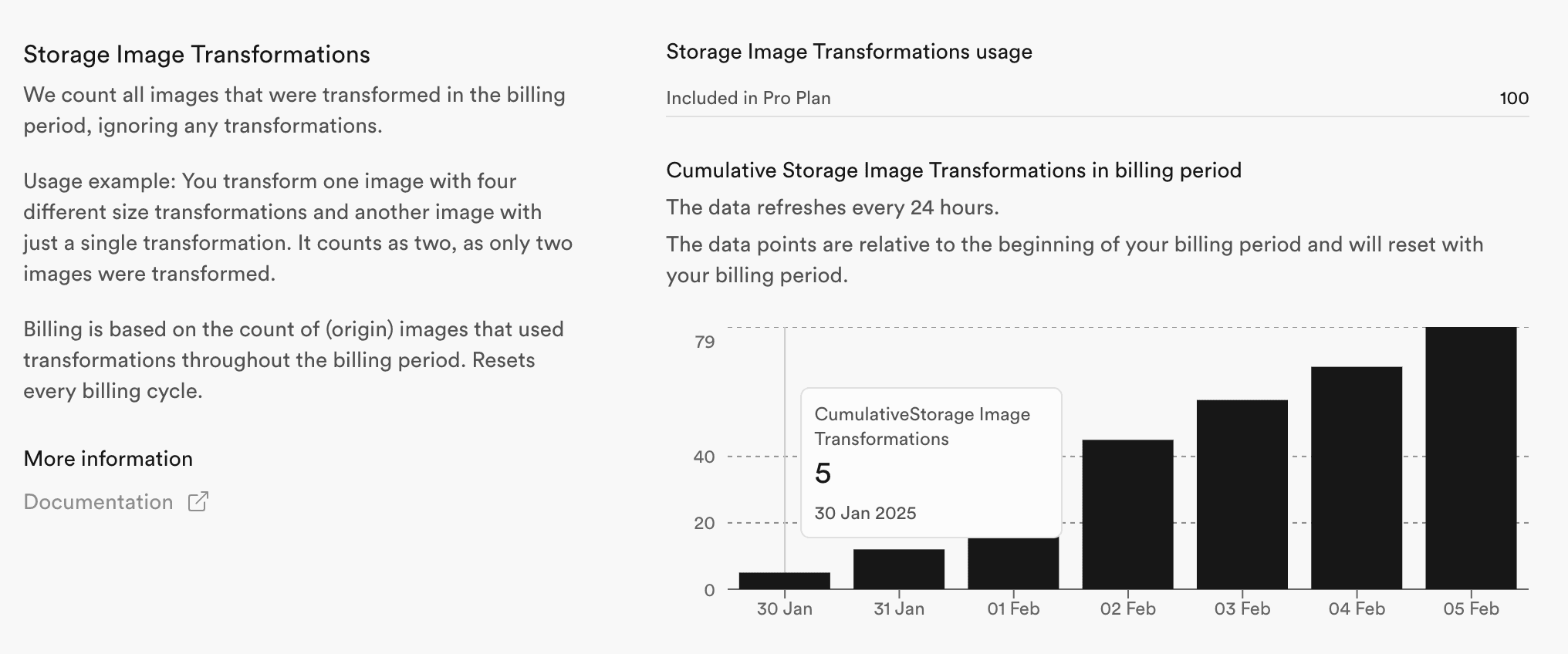
You can view Storage Image Transformations usage on the organization's usage page. The page shows the usage of all projects by default. To view the usage for a specific project, select it from the dropdown. You can also select a different time period.

In the Storage Image Transformations section, you can see how many origin images were transformed during the selected time period.
Optimize usage#
- Pre-generate common variants – instead of transforming images on the fly, generate and store commonly used sizes in advance
- Optimize original image sizes – upload images in an optimized format and resolution to reduce the need for excessive transformations
- Leverage Smart CDN caching or any other caching solution to serve transformed images efficiently and avoid unnecessary repeated transformations
- Control how long assets are stored in the browser using the
Cache-Controlheader
Exceeding Quotas#
If you are on a paid plan and have Spend Cap disabled or your organization is on Team Plan or above, you will pay for any overages.
When you are exceeding your quotas while being on a Free Plan or having Spend Cap enabled, you will get a notification to your billing email address and put under a grace period. For more details, refer to our Fair Use Policy.